SMD Inductor Checking on Smartphone Motherboards
Learn how to identify, test, and diagnose SMD inductors (coils) on smartphone PCBs using a digital multimeter. Suitable for beginners and professional mobile service engineers.
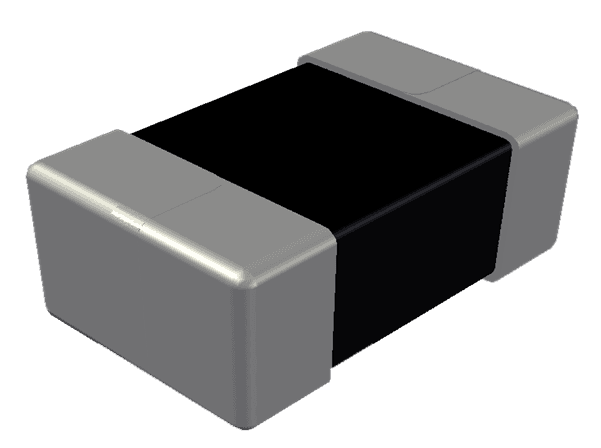
1. What is an Inductor?
An inductor (coil) is a passive electronic component that stores energy in a magnetic field when current flows through it. In smartphones, inductors are mainly used in power regulation circuits.
- • Used in buck / boost converters
- • Filters electrical noise
- • Stabilizes voltage supply
- • Supports CPU and IC power lines
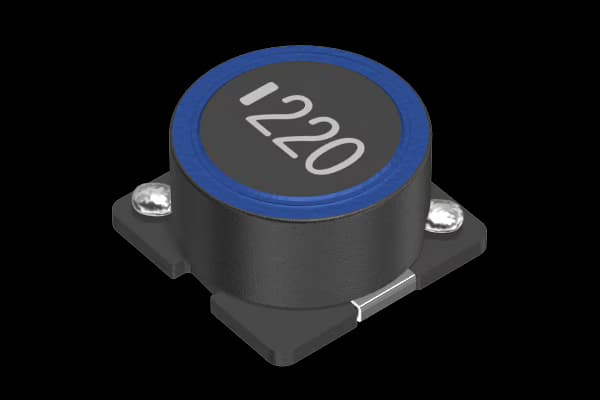
2. Identifying SMD Inductors on PCB

- • Square or rectangular shape
- • Usually black or dark grey
- • Marked with "L" in schematics
- • Located near PMIC or power ICs
3. Checking an Inductor with Multimeter
Inductors are tested using continuity or resistance mode. A healthy inductor normally shows continuity with very low resistance.
- 1. Set multimeter to continuity or Ω mode
- 2. Black probe → first terminal
- 3. Red probe → second terminal
- 4. Beep or low Ω indicates good inductor
4. Understanding Test Results
| Fault | Reading | Meaning |
|---|---|---|
| Normal | 0Ω – 2Ω | Healthy inductor |
| Open | OL / No beep | Faulty inductor |
| Short | 0Ω / Beep | Healthy inductor |
5. Common Inductor Fault Symptoms
- • Phone not powering ON
- • No voltage on output line
- • Heating near PMIC area
- • Boot loop or sudden shutdown
Safety Tips
- • Always remove battery before testing
- • Avoid shorting inductor terminals
- • Use fine probes for SMD components
- • Avoid unnecessary heating
6. Real Repair Example
Phone dead with no CPU voltage? If the inductor shows an open circuit, replacing the faulty inductor may restore normal boot.
